快速开始
本快速开始将带你完成一个最小闭环:加载模板工作流、运行它,然后通过 /api/v1/run 接口调用它。
前置条件
- 已完成 安装并启动 SkillFlaw
- 已创建 OpenAI API Key
- 已创建 SkillFlaw API Key
创建 SkillFlaw API Key
SkillFlaw API Key 是用户级别的访问令牌,可用于以 API 方式调用 SkillFlaw。
创建方式如下:
- 在 SkillFlaw 中点击用户头像,进入 Settings。
- 点击 SkillFlaw API Keys,再点击 Add New。
- 输入名称并点击 Create API Key。
- 复制生成的 Key,并妥善保存。
- 在终端中设置
SKILLFLAW_API_KEY环境变量,并在请求中通过x-api-keyheader 或 query 参数传递。
例如:
_13# 设置变量_13export SKILLFLAW_API_KEY="sk..."_13_13# 发起请求_13curl --request POST \_13--url "http://SKILLFLAW_SERVER_ADDRESS/api/v1/run/FLOW_ID" \_13--header "Content-Type: application/json" \_13--header "x-api-key: $SKILLFLAW_API_KEY" \_13--data '{_13 "output_type": "chat",_13 "input_type": "chat",_13 "input_value": "Hello"_13}'
如果你在注册时遇到 “An API key must be passed as query or header” 错误,请参考故障排查。
运行 Simple Agent 模板工作流
- 在 SkillFlaw 中点击 New Flow,选择 Simple Agent 模板。
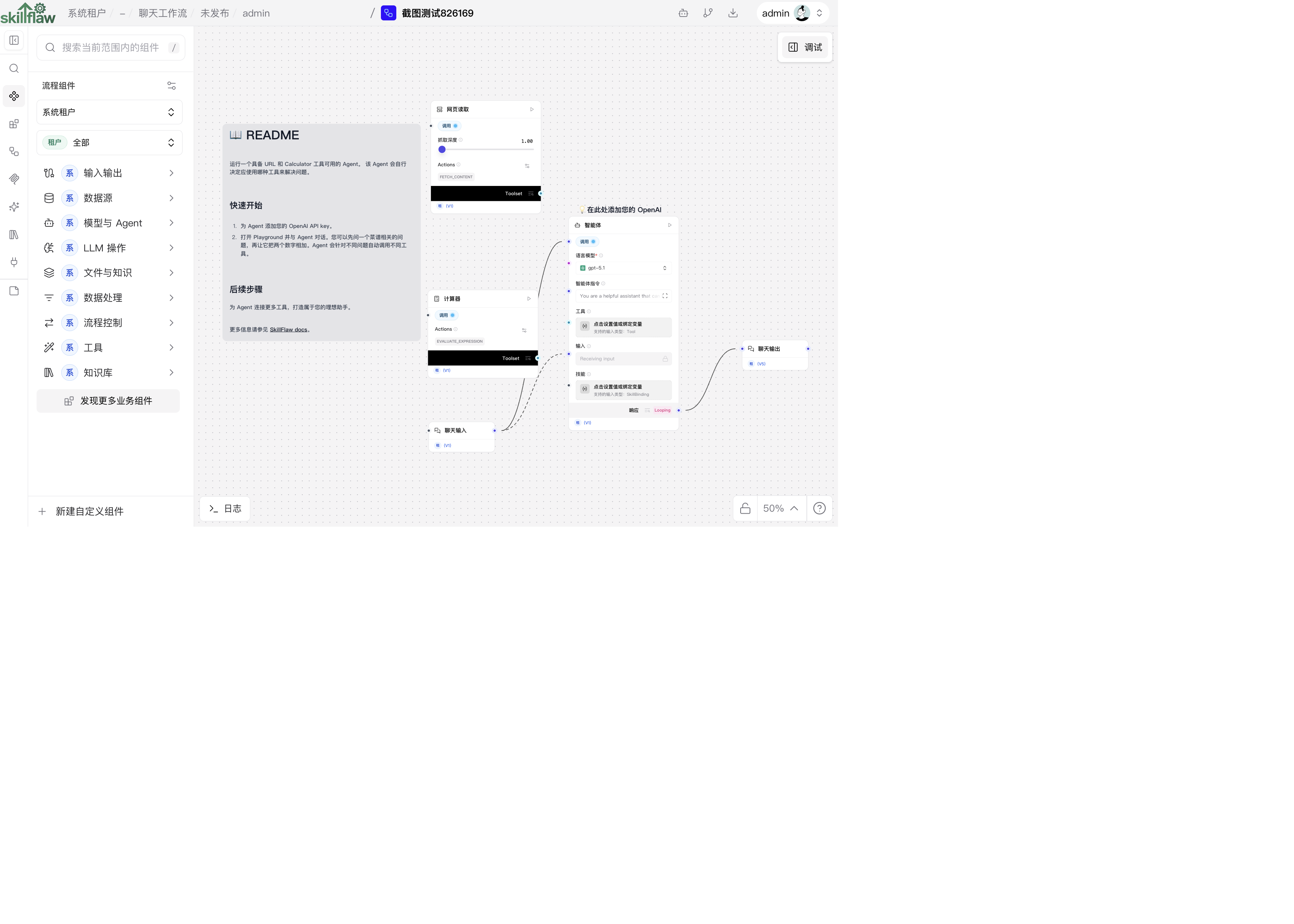
该模板由 Agent 组件、Chat Input 与 Chat Output 组件、Calculator 组件 与 URL 组件 组成。 当你运行该工作流时,输入问题会先进入 Chat Input,再由 Agent 根据上下文决定是否调用 Calculator 或 URL 工具,最后通过 Chat Output 返回结果。
很多组件都可以作为 Agent 的工具,包括 Model Context Protocol (MCP) 服务。Agent 会根据提问上下文决定调用哪一个工具。
- 在 Agent 组件中,直接填写 OpenAI API Key,或者使用 全局变量。
本示例使用 Agent 组件内置的 OpenAI 模型。 如果你要切换到其他模型提供方,请按实际情况修改模型提供方、模型名称与凭据。 如果目标模型未出现在下拉列表中,可将 Model Provider 设置为 Connect other models,再接入任意语言模型组件。
-
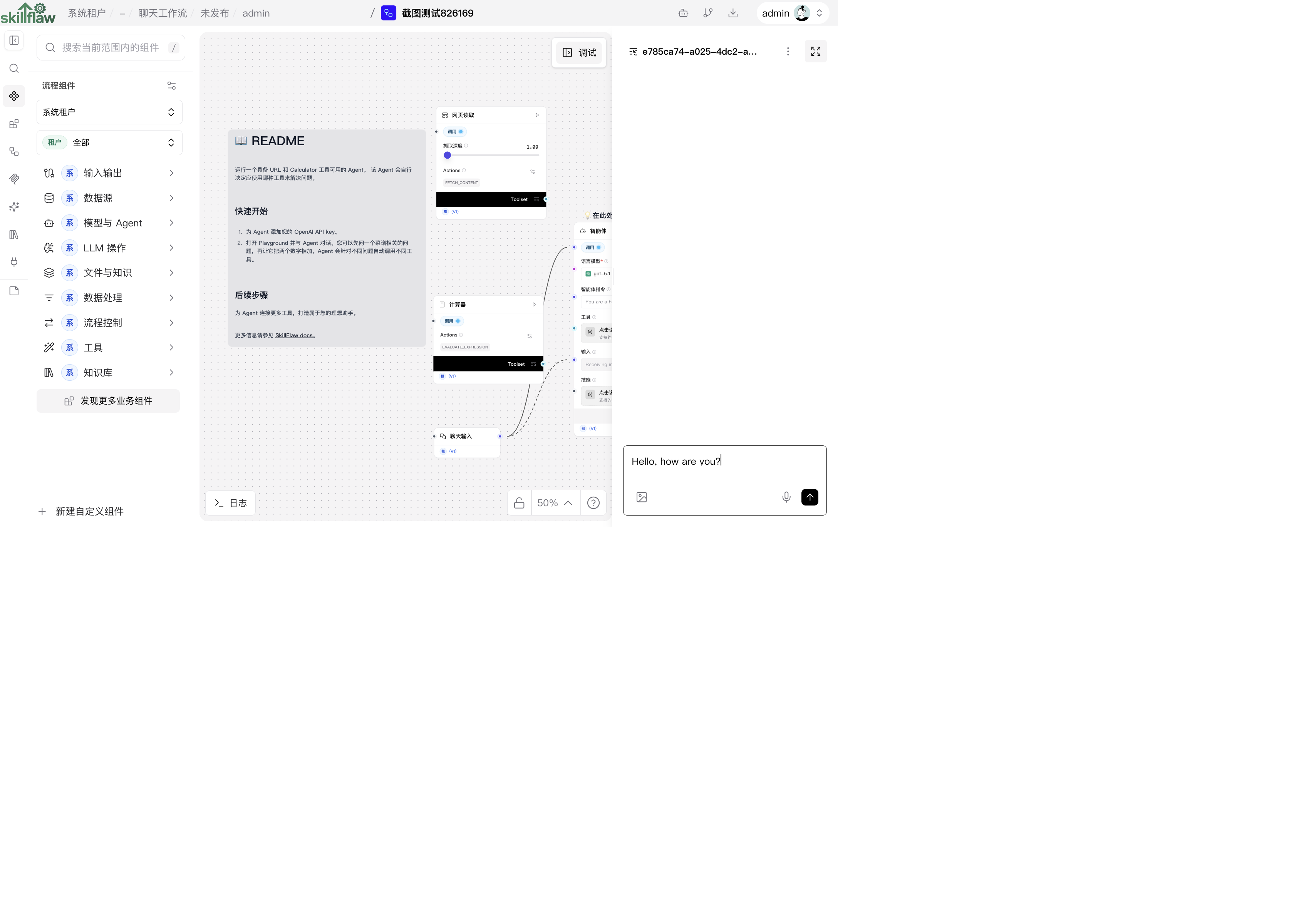
点击 Playground 运行工作流。
-
测试 Calculator 工具时,可以输入一个简单数学问题,例如:
I want to add 4 and 4.
为了帮助你测试与评估流程,Playground 会展示 Agent 的分析过程、工具选择过程与响应生成过程。
在这个例子里,数学问题会触发 Agent 选择 Calculator 工具,并执行类似 evaluate_expression 的动作。
-
测试 URL 工具时,可以让 Agent 回答当前新闻或网页内容相关问题。 对于这种请求,Agent 会选择 URL 工具中的
fetch_content动作,并返回摘要结果。 -
完成测试后,点击 Close。
当你已经跑通第一个流程后,可以继续尝试:
- 修改 Simple Agent 流程,挂接不同工具或增加更多组件
- 从零构建自己的工作流,或修改其他模板流程
- 按照下文说明,把工作流接入外部应用
从外部应用调用工作流
SkillFlaw 既是可视化 IDE,也是一个可以通过 SkillFlaw API 被调用的运行时。
当你本地启动 SkillFlaw 后,可以向本地服务发请求。 如果要用于正式环境,则需要先部署稳定的 SkillFlaw 实例。
例如,你可以通过 /api/v1/run 端点执行一个工作流并拿到运行结果。
SkillFlaw 在 API access 面板中会自动生成代码片段,帮助你快速接入。
- 在编辑工作流时,点击 Share,再点击 API access。
默认示例代码会组装 url、headers 与 payload。
生成的代码片段会自动填入当前工作流的 SKILLFLAW_SERVER_ADDRESS 与 FLOW_ID,并在你已设置环境变量的前提下包含 SKILLFLAW_API_KEY。
如果你要接入其他服务地址或其他工作流,请替换为实际值。
默认本地服务地址为 http://localhost:7860。
- Python
- JavaScript
- curl
_23import requests_23_23url = "http://SKILLFLAW_SERVER_ADDRESS/api/v1/run/FLOW_ID"_23_23payload = {_23 "output_type": "chat",_23 "input_type": "chat",_23 "input_value": "hello world!"_23}_23_23headers = {_23 "Content-Type": "application/json",_23 "x-api-key": "$SKILLFLAW_API_KEY"_23}_23_23try:_23 response = requests.request("POST", url, json=payload, headers=headers)_23 response.raise_for_status()_23 print(response.text)_23except requests.exceptions.RequestException as e:_23 print(f"Error making API request: {e}")_23except ValueError as e:_23 print(f"Error parsing response: {e}")
_20const payload = {_20 "output_type": "chat",_20 "input_type": "chat",_20 "input_value": "hello world!",_20 "session_id": "user_1"_20};_20_20const options = {_20 method: 'POST',_20 headers: {_20 'Content-Type': 'application/json',_20 'x-api-key': 'SKILLFLAW_API_KEY'_20 },_20 body: JSON.stringify(payload)_20};_20_20fetch('http://SKILLFLAW_SERVER_ADDRESS/api/v1/run/FLOW_ID', options)_20 .then(response => response.json())_20 .then(response => console.log(response))_20 .catch(err => console.error(err));
_11curl --request POST \_11 --url 'http://SKILLFLAW_SERVER_ADDRESS/api/v1/run/FLOW_ID?stream=false' \_11 --header 'Content-Type: application/json' \_11 --header "x-api-key: SKILLFLAW_API_KEY" \_11 --data '{_11 "output_type": "chat",_11 "input_type": "chat",_11 "input_value": "hello world!"_11 }'_11_11# 返回 200 代表调用成功。
- 复制代码片段,保存为脚本并执行;如果使用 curl,可以直接在终端运行。
成功后,响应中会包含 session ID、输入输出、组件运行结果、耗时等详细信息。
从响应中提取结果
下例基于 /run 示例代码,构造一个在终端里问答的简单对话,并保存上一轮回答。
- 将你自己的
/run代码片段整合到下面脚本中:
- Python
- JavaScript
_44import requests_44_44url = "http://SKILLFLAW_SERVER_ADDRESS/api/v1/run/FLOW_ID"_44_44def ask_agent(question):_44 payload = {_44 "output_type": "chat",_44 "input_type": "chat",_44 "input_value": question,_44 }_44_44 headers = {_44 "Content-Type": "application/json",_44 "x-api-key": "SKILLFLAW_API_KEY"_44 }_44_44 try:_44 response = requests.post(url, json=payload, headers=headers)_44 response.raise_for_status()_44 data = response.json()_44 message = data["outputs"][0]["outputs"][0]["outputs"]["message"]["message"]_44 return message_44 except Exception as e:_44 return f"Error: {str(e)}"_44_44previous_answer = None_44_44while True:_44 print("\nAsk the agent anything, such as 'What is 15 * 7?' or 'What is the capital of France?'")_44 print("Type 'quit' to exit or 'compare' to see the previous answer")_44 user_question = input("Your question: ")_44_44 if user_question.lower() == 'quit':_44 break_44 elif user_question.lower() == 'compare':_44 if previous_answer:_44 print(f"\nPrevious answer was: {previous_answer}")_44 else:_44 print("\nNo previous answer to compare with!")_44 continue_44_44 result = ask_agent(user_question)_44 print(f"\nAgent's answer: {result}")_44 previous_answer = result
_68const readline = require('readline');_68_68const rl = readline.createInterface({_68 input: process.stdin,_68 output: process.stdout_68});_68_68const url = 'http://SKILLFLAW_SERVER_ADDRESS/api/v1/run/FLOW_ID';_68let previousAnswer = null;_68_68async function askAgent(question) {_68 const payload = {_68 "output_type": "chat",_68 "input_type": "chat",_68 "input_value": question_68 };_68_68 const options = {_68 method: 'POST',_68 headers: {_68 'Content-Type': 'application/json',_68 'x-api-key': 'SKILLFLAW_API_KEY'_68 },_68 body: JSON.stringify(payload)_68 };_68_68 try {_68 const response = await fetch(url, options);_68 const data = await response.json();_68 const message = data.outputs[0].outputs[0].outputs.message.message;_68 return message;_68 } catch (error) {_68 return `Error: ${error.message}`;_68 }_68}_68_68async function startChat() {_68 console.log("\nAsk the agent anything, such as 'What is 15 * 7?' or 'What is the capital of France?'");_68 console.log("Type 'quit' to exit or 'compare' to see the previous answer");_68_68 const askQuestion = () => {_68 rl.question('\nYour question: ', async (userQuestion) => {_68 if (userQuestion.toLowerCase() === 'quit') {_68 rl.close();_68 return;_68 }_68_68 if (userQuestion.toLowerCase() === 'compare') {_68 if (previousAnswer) {_68 console.log(`\nPrevious answer was: ${previousAnswer}`);_68 } else {_68 console.log("\nNo previous answer to compare with!");_68 }_68 askQuestion();_68 return;_68 }_68_68 const result = await askAgent(userQuestion);_68 console.log(`\nAgent's answer: ${result}`);_68 previousAnswer = result;_68 askQuestion();_68 });_68 };_68_68 askQuestion();_68}_68_68startChat();
- 在终端中输入
compare可查看上一轮回答,输入quit可退出。
使用 tweaks 临时覆盖工作流参数
你可以在请求中加入 tweaks,对某次运行临时修改工作流参数。 这些 tweaks 仅在单次运行生效,不会改动工作流本身配置,也不会被持久化。
Tweaks 放在 /run 请求的 payload 中。
你也可以在 SkillFlaw 的 Input Schema 面板中先勾选要暴露的参数,再复制代码片段。
- 在 API access 面板中点击 Input Schema。
- 在 Input Schema 中勾选你希望本次请求临时修改的参数。
- 例如,如果你想把 LLM 从 OpenAI 切换到 Groq,并在请求中传入 Groq API Key,可以勾选 Model Providers、Model 与 Groq API Key。
_12payload = {_12 "output_type": "chat",_12 "input_type": "chat",_12 "input_value": "hello world!",_12 "tweaks": {_12 "Agent-ZOknz": {_12 "agent_llm": "Groq",_12 "api_key": "GROQ_API_KEY",_12 "model_name": "llama-3.1-8b-instant"_12 }_12 }_12}