My skills manual
This page describes the My skills tree experience exposed to users in SkillFlaw. It focuses on the tree-based browsing and operation workspace available in the product interface.
Entry points
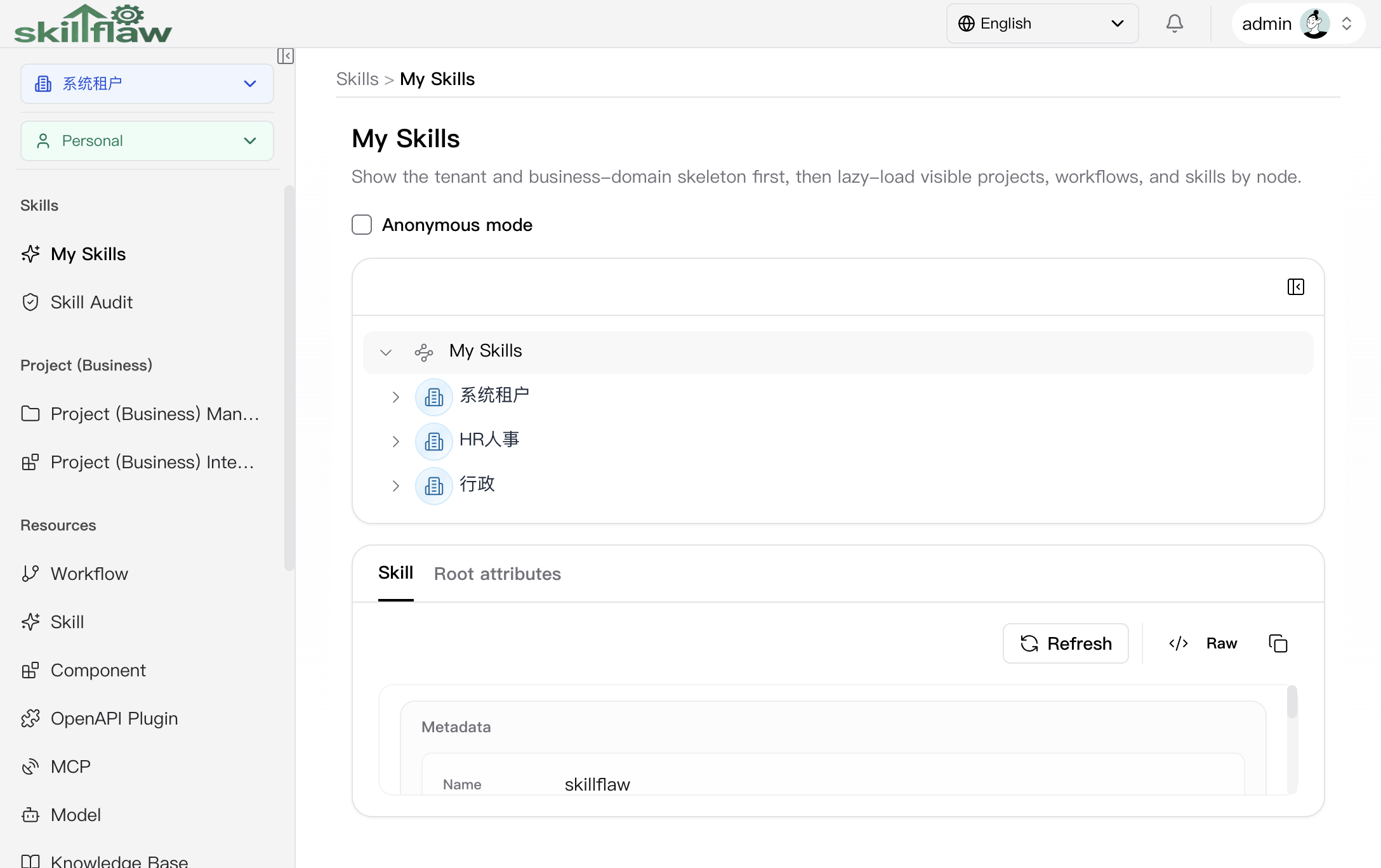
Users enter this module through the My skills menu. The page is organized as a two-panel workspace:
- a collapsible tree panel on the left
- a detail panel on the right
Interface screenshot
The following screenshot shows the two-panel tree workspace, including the anonymous-mode toggle, the left tree, and the right detail panel.
Tree panel
The tree panel is used to navigate through the skill graph. The node model includes:
- tenant nodes
- business-domain nodes
- personal nodes
- project nodes
- workflow group and skill group nodes under a project
- project workflow nodes
- project skill nodes
The tree supports expanding and collapsing nodes, and loadable nodes are loaded on demand.
Anonymous mode
The page header contains an anonymous mode toggle. This affects how the page presents data.
Detail panel
The detail panel switches between:
- an attributes tab
- a skill tab when the selected node type supports skill-like content
Attributes tab
The attributes tab shows the normalized node profile, including values such as:
- node name
- node type
- node ID
- creator
- version
- audience type for project nodes
- access type for project workflow and project skill nodes
- workflow and skill counts for project nodes
Skill tab
When the selected node supports markdown or skill content, the skill tab displays that content and can expose action buttons. Depending on node type, the detail panel can expose:
- download project bundle or skill package
- test executable project skill
- run workflow for project workflow nodes
- refresh current skill content
Usage model
This page is designed for browsing and operating on the tree of already organized resources. It is not the same as the skill maintenance page:
- the skill module is the maintenance and edit surface
- the My skills module is the tree-based navigation and operation surface