Skill manual
This page describes the skill workflow exposed to users in SkillFlaw. It covers the list tabs, card actions, and the skill detail editor available in the product interface.
Entry points
Users enter the skill module through the Skill menu. The page has two top-level tabs:
- My skills
- Plaza
Interface screenshots
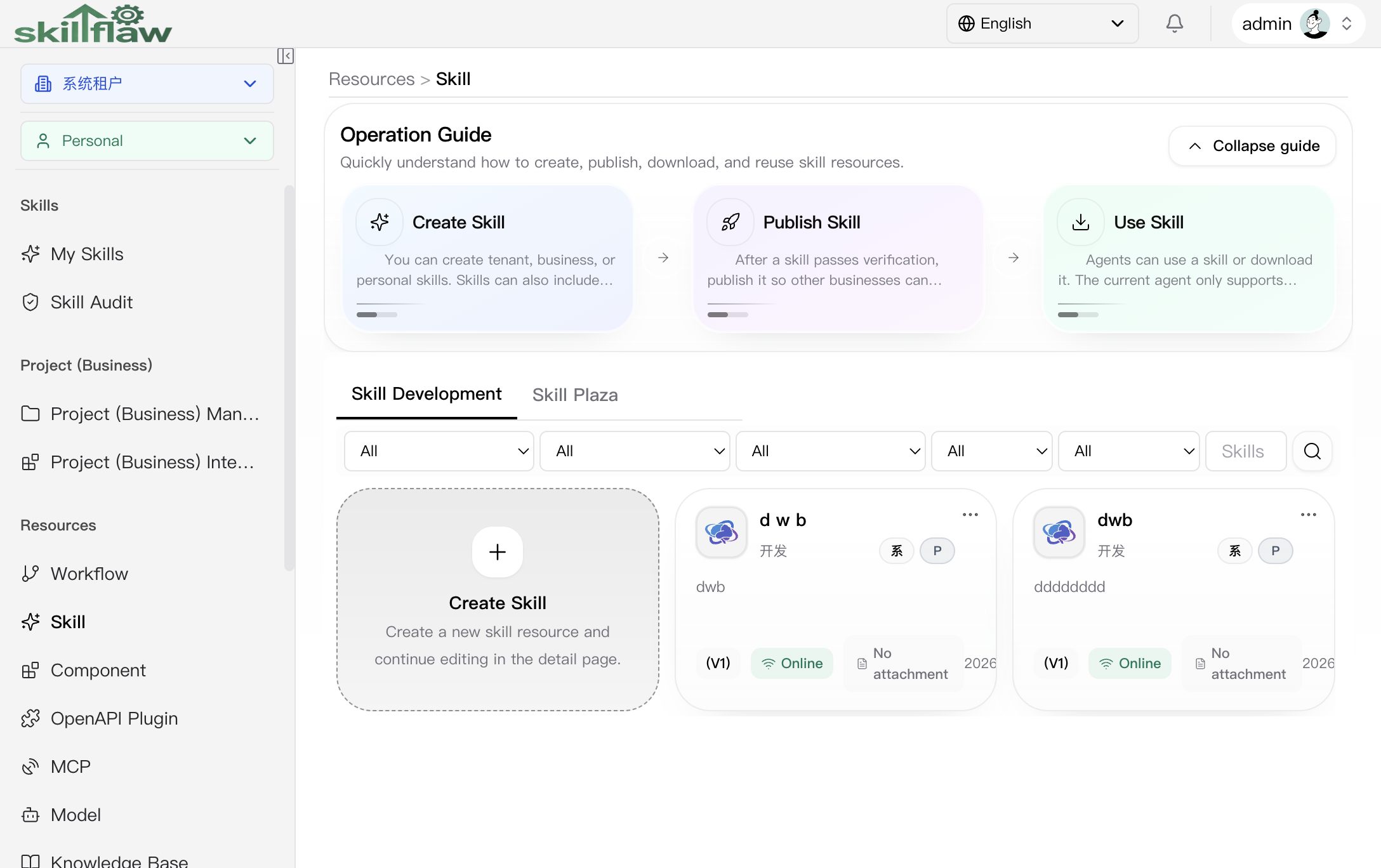
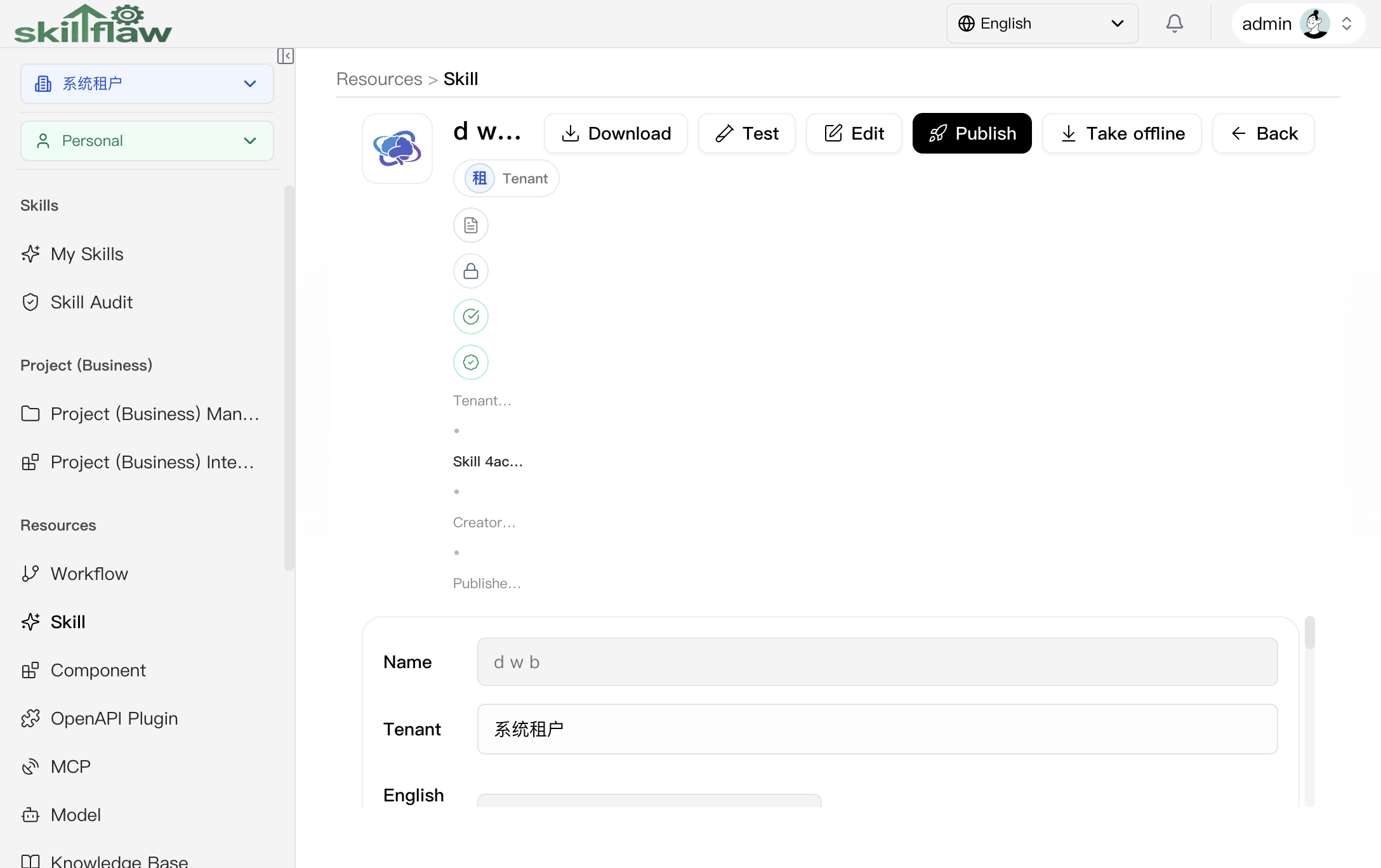
This manual includes two real screenshots: one for the list page and one for the detail page.
Skill list page
Skill detail page
My skills tab
The My skills tab is the main maintenance surface for skills that the user can manage in the selected scope.
List actions
Users can:
- create a new skill
- open a skill detail page
- edit a skill from the card menu
- delete a skill from the card menu
Filters
The page exposes filters for:
- scope
- business domain when the selected scope is business
- attachment presence
- publish status
- deleted status
- access type
- keyword
Delete restriction
Delete is only available when the target skill:
- has delete permission
- is not already deleted
- is not currently online
Plaza tab
The plaza tab is the read-oriented surface for broader skill browsing. Available filters include:
- tenant
- scope
- business domain
- attachment presence
- access type
- keyword
Opening a card from the plaza enters the same detail route, but in plaza read-only mode.
Skill detail page
A skill card opens the detail editor or detail viewer. The detail page has two content tabs:
- Skill
- Attachment
Metadata area
The metadata section covers the skill resource information, including:
- name
- English name
- scope
- business domain
- access type
- logo
- runtime language
- runtime entrypoint
- note
- attachment metadata
Skill tab
The skill tab is used for markdown-based skill content. Available actions include:
- save changes
- edit skill markdown
- view detail in read-only mode when opened from plaza or normal detail view
Attachment tab
The attachment tab is the package-oriented surface. Available actions include:
- import a ZIP package
- import a local directory
- clear the current attachment package
- inspect attachment entries
Header actions
Depending on mode and permission, the detail page may expose:
- save
- download
- test
- edit
- publish
- online
- offline
- restore
- back / cancel edit
Runtime test flow
When test is available, the page opens the runtime configuration dialog. The runtime test flow includes:
- choose draft or online target when available
- choose runtime language
- choose runtime entrypoint
- provide runtime arguments or upload required files
- run the test and inspect the returned result
- ask the page to suggest runtime arguments
Permissions and boundaries
Skill maintenance follows the platform permission and scope rules:
- create is enabled only in scopes where write permission is available
- edit, publish, online, offline, and save depend on modify permission
- delete and restore depend on delete permission
- plaza detail opens in read-only mode rather than reusing the edit path
- skill write boundaries follow the resource's own tenant and scope semantics