Config manual
The Config module is used to maintain system configuration items and their values, and it serves as one of the unified entries for runtime parameters and business configuration.
Entry
Choose Management > Config from the left navigation.
Feature overview
The Config page is commonly used to:
- browse the configuration list
- query and filter configuration data
- review configuration descriptions and current values
- perform configuration-maintenance actions provided by the page
Page example
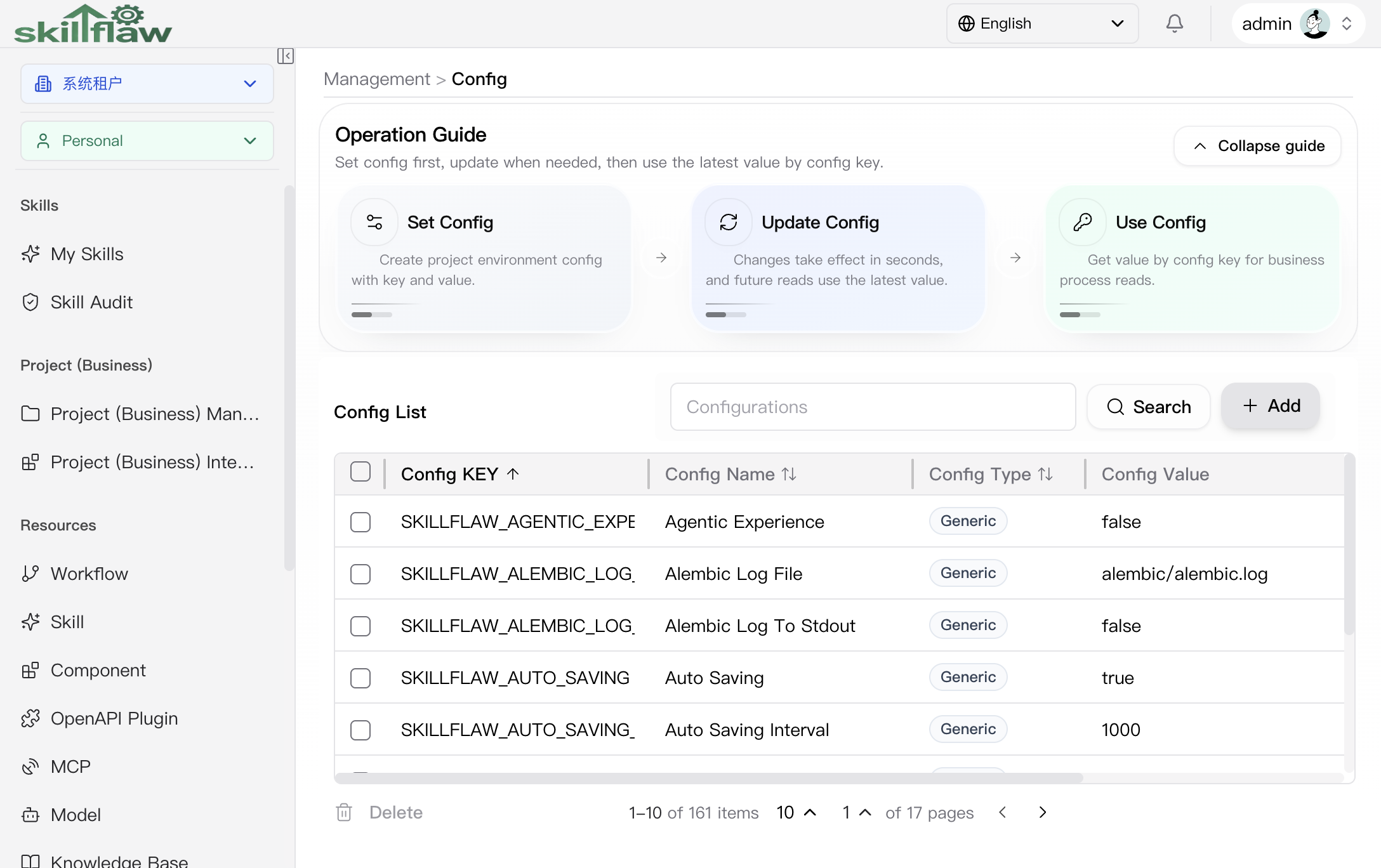
The screenshot above shows the Management > Config home page. The page highlights the base configuration-governance path: create a config item first, update it when needed, and then read the latest value in business logic through the config key.
The list currently shows these core fields:
- config key
- config name
- config type
- config value
The page supports search, creation, pagination, and row-level actions, making it suitable for centralized maintenance of runtime parameters, feature switches, and base configuration items.
Add Config dialog
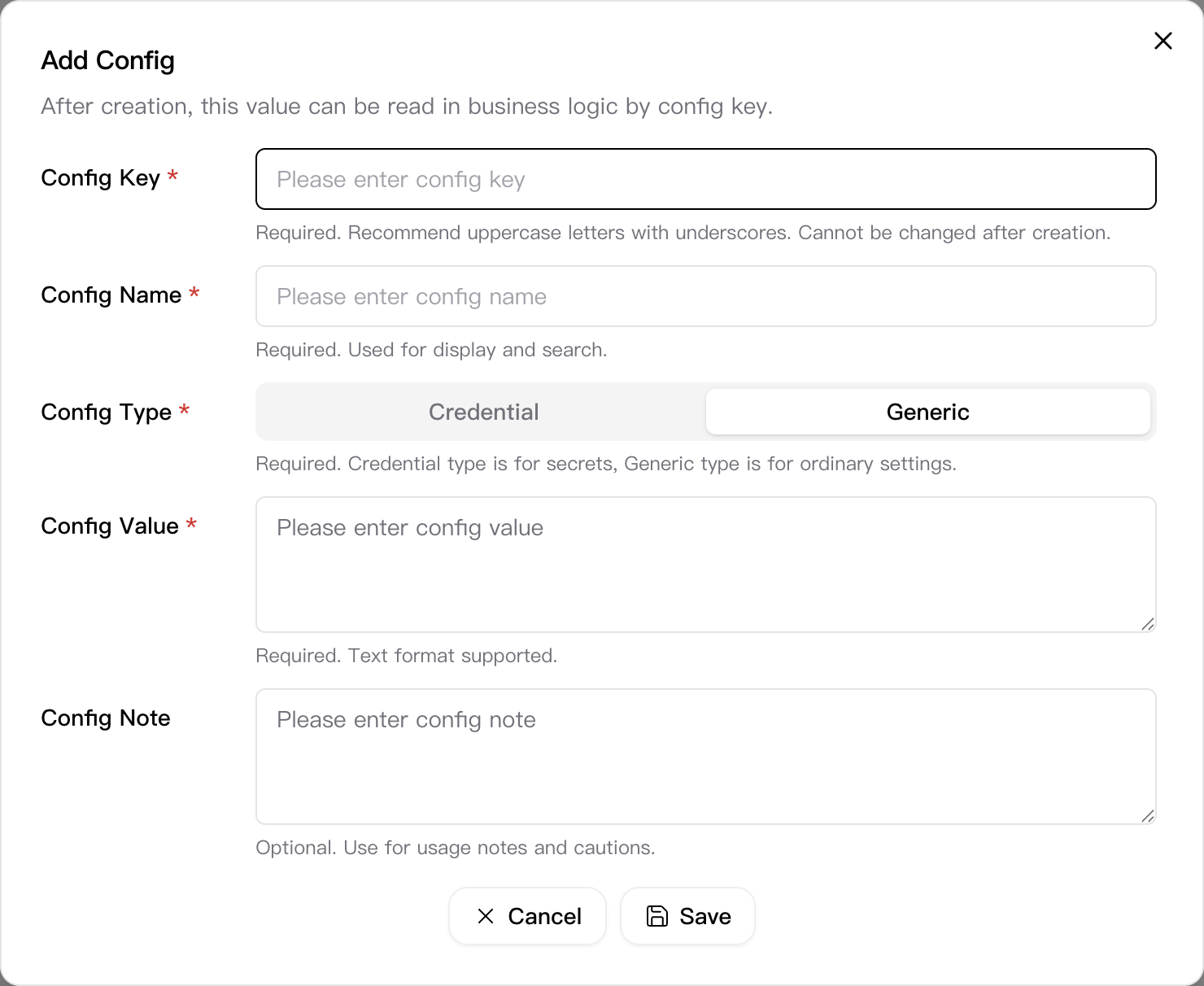
Click Add in the upper-right corner of the Config page to open the Add Config dialog. This dialog is used to create a new configuration item and store a value that can later be read through the config key.
The dialog currently includes these key fields:
- Config Key: required; uppercase letters and underscores are recommended. It cannot be changed after creation.
- Config Name: required and used for display and search.
- Config Type: required; currently supports Credential and Generic.
- Config Value: required and used to store the actual configuration value.
- Config Note: optional and used for usage notes and cautions.
The footer provides Cancel and Save actions, which is suitable for entering the full base information of a new configuration item in one pass.
View Config dialog
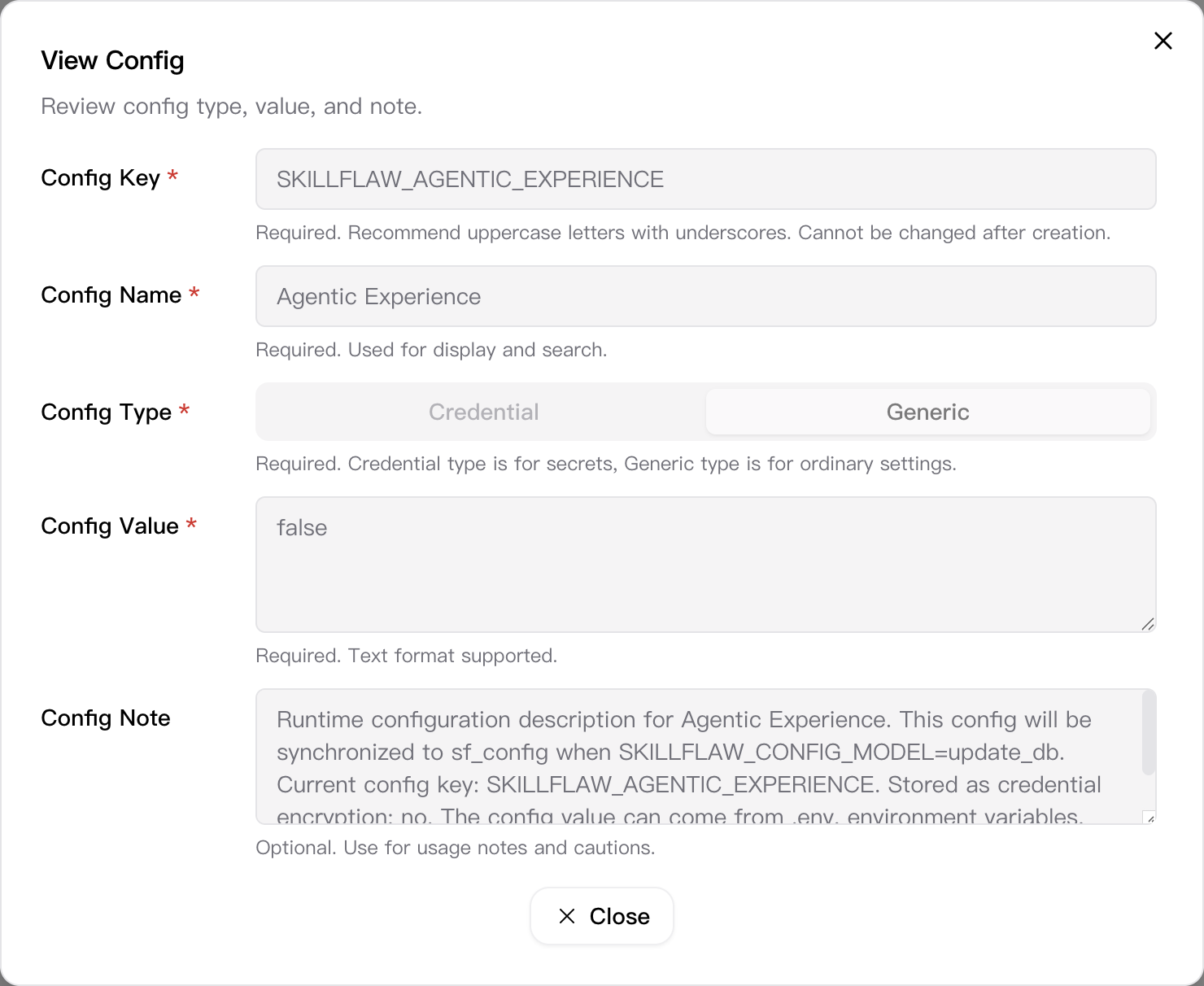
Click View in the action column of the config list to open the View Config dialog. This dialog displays the key information of the current config item in read-only mode so you can verify the content without entering edit mode.
The dialog currently shows:
- Config Key: the unique identifier of the config item.
- Config Name: the display and search name.
- Config Type: currently Credential or Generic.
- Config Value: the currently stored value.
- Config Note: the usage explanation and maintenance note.
The footer provides a Close action so you can return directly to the list after review.
Recommendations
Before changing a configuration item, confirm its purpose, target scope, and possible impact.