Permission manual
The Permission module is used to maintain modules, roles, and permission rules, and it serves as the unified entry for access control and authorization governance on the platform.
Entry
Choose Management > Permission from the left navigation.
Feature overview
The Permission page is commonly used to:
- browse permission configuration objects
- query and filter role or module permissions
- review permission notes and authorization results
- inspect the permission-maintenance views provided by the page
Page example
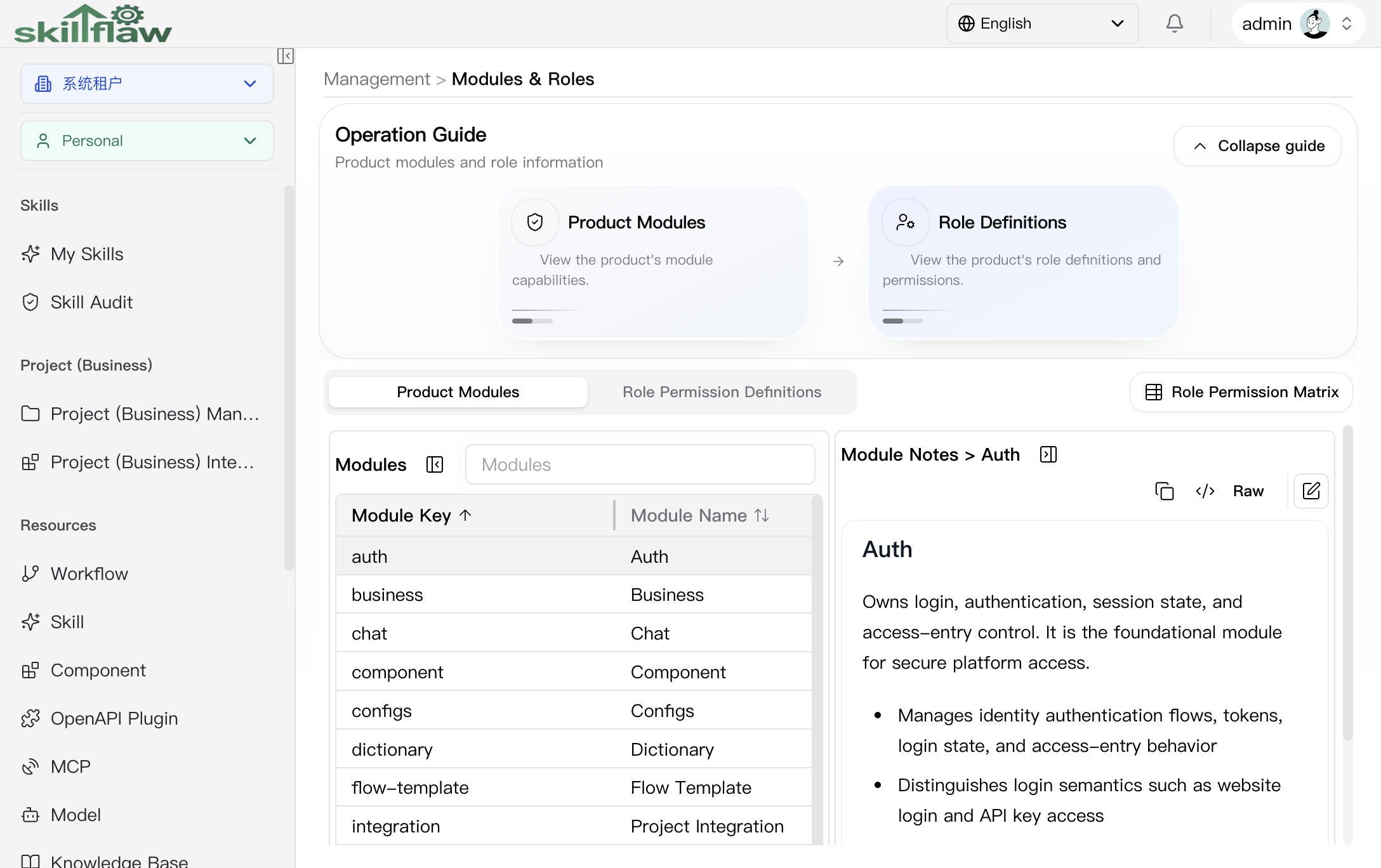
The screenshot above shows the Management > Permission home page. The page is organized around modules and roles. The guide area provides two main entry points, Product Modules and Role Definitions, so readers can understand the permission system from both the module boundary and the role perspective.
The page contains these main areas:
- Product Modules: lists the functional modules in the system together with their module keys.
- Role Permission Definitions: reviews role and permission definition content.
- Role Permission Matrix: used to compare the relationship between roles and module capabilities.
After a specific module is selected in the module list, the right side displays module notes so the permission semantics can be reviewed together with the module responsibility.
Product Modules
The default Product Modules tab is used to review the platform modules and their notes. The page shows fields such as Module Key and Module Name, and the notes panel on the right explains the selected module in detail. In the screenshot shown here, the selected example is Auth, whose notes describe login, authentication, session state, and access-entry control.
Role Permission Definitions
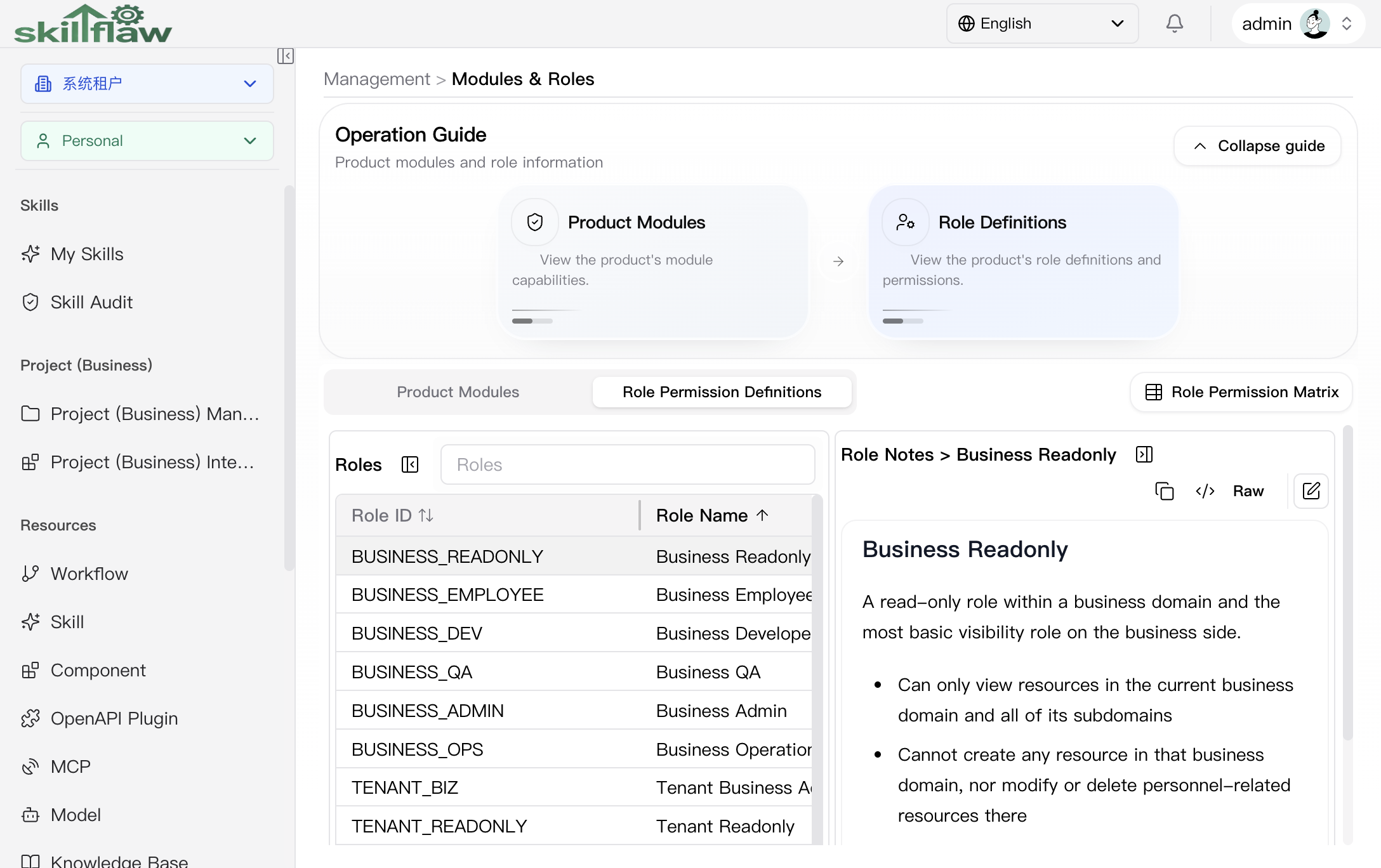
The Role Permission Definitions tab is used to review role definitions and their permission semantics. The list shows fields such as Role ID, Role Name, and Tenant Role, and the notes panel on the right explains the selected role.
In the screenshot shown here, the selected example is Business Readonly, and the notes explain that it is a read-only role within a business domain that is suitable for review, collaboration, inspection, and result-confirmation scenarios.
Recommendations
Before maintaining permissions, clarify the target module, role scope, and authorization boundary, and then perform the required changes accordingly.