Model management manual
The Model Management module is the central entry for maintaining model providers and model catalogs in the platform.
Entry
Choose Management > Model Management from the left navigation.
Feature overview
The Model Management page is commonly used to:
- browse model providers and model catalogs
- query and filter providers or models
- review model capabilities and base attributes
- perform model-management actions provided by the page
Page example
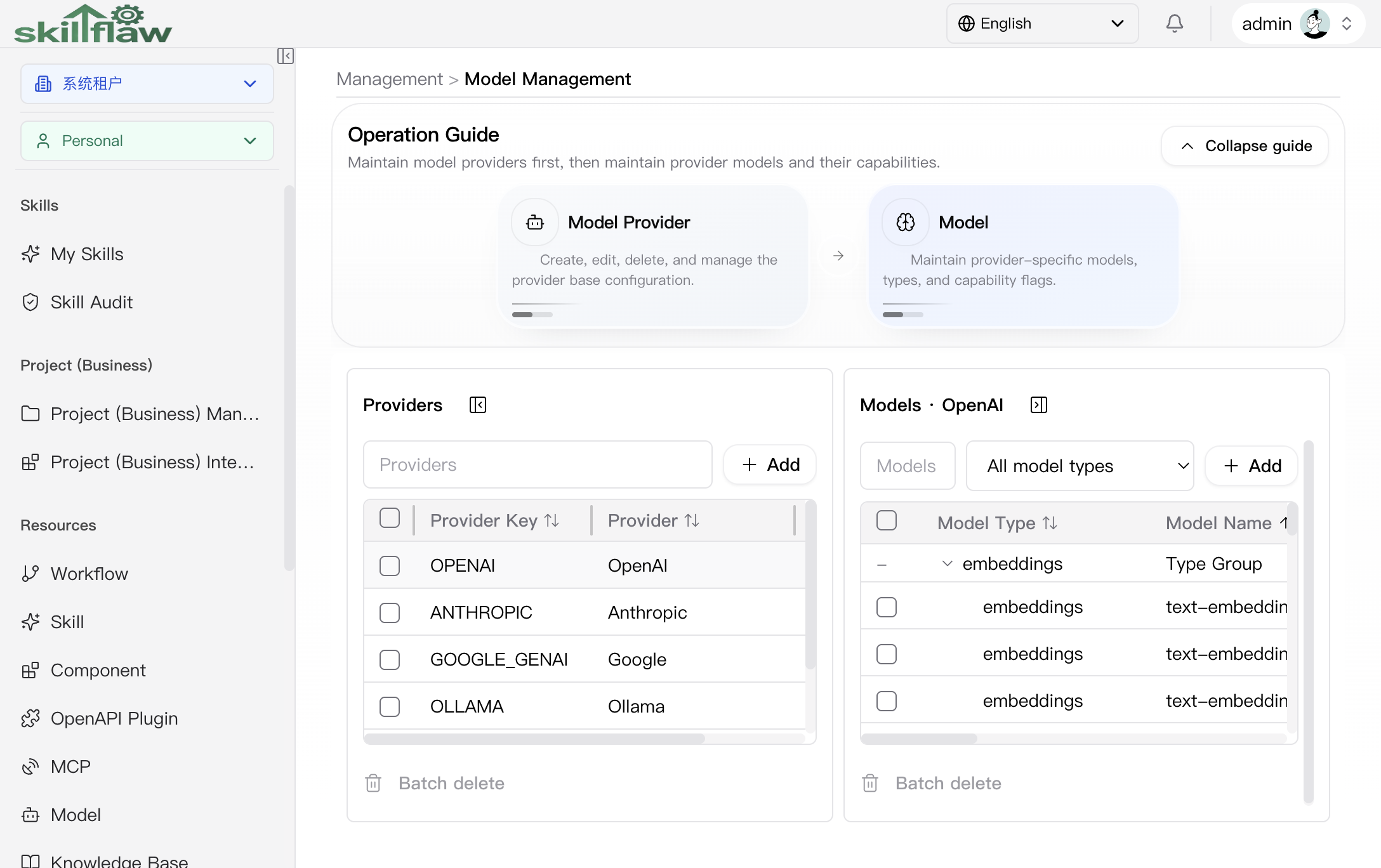
The screenshot above shows the Management > Model Management home page. The page separates Providers and Models so you can maintain the provider first, then maintain the models and their feature flags under that provider.
The main body is divided into two core areas:
- Providers: maintains provider key, provider name, and related actions such as add and batch delete.
- Models: after a provider is selected, maintains model type, model name, display name, context length, features, and enabled status.
When no provider is selected, the model area stays in a No provider selected state so users can establish the correct maintenance context first.
Recommendations
Before maintaining models, confirm the provider connection parameters, model feature flags, and intended usage scenarios.