Tenant manual
The Tenant module is used to maintain tenant base information and tenant-level management capabilities, and it is one of the main entries for multi-tenant governance on the platform.
Entry
Choose Management > Tenant from the left navigation.
Feature overview
The Tenant page is commonly used to:
- browse the tenant list
- query and filter tenants
- review tenant base information
- perform tenant-management actions provided by the page
Page example
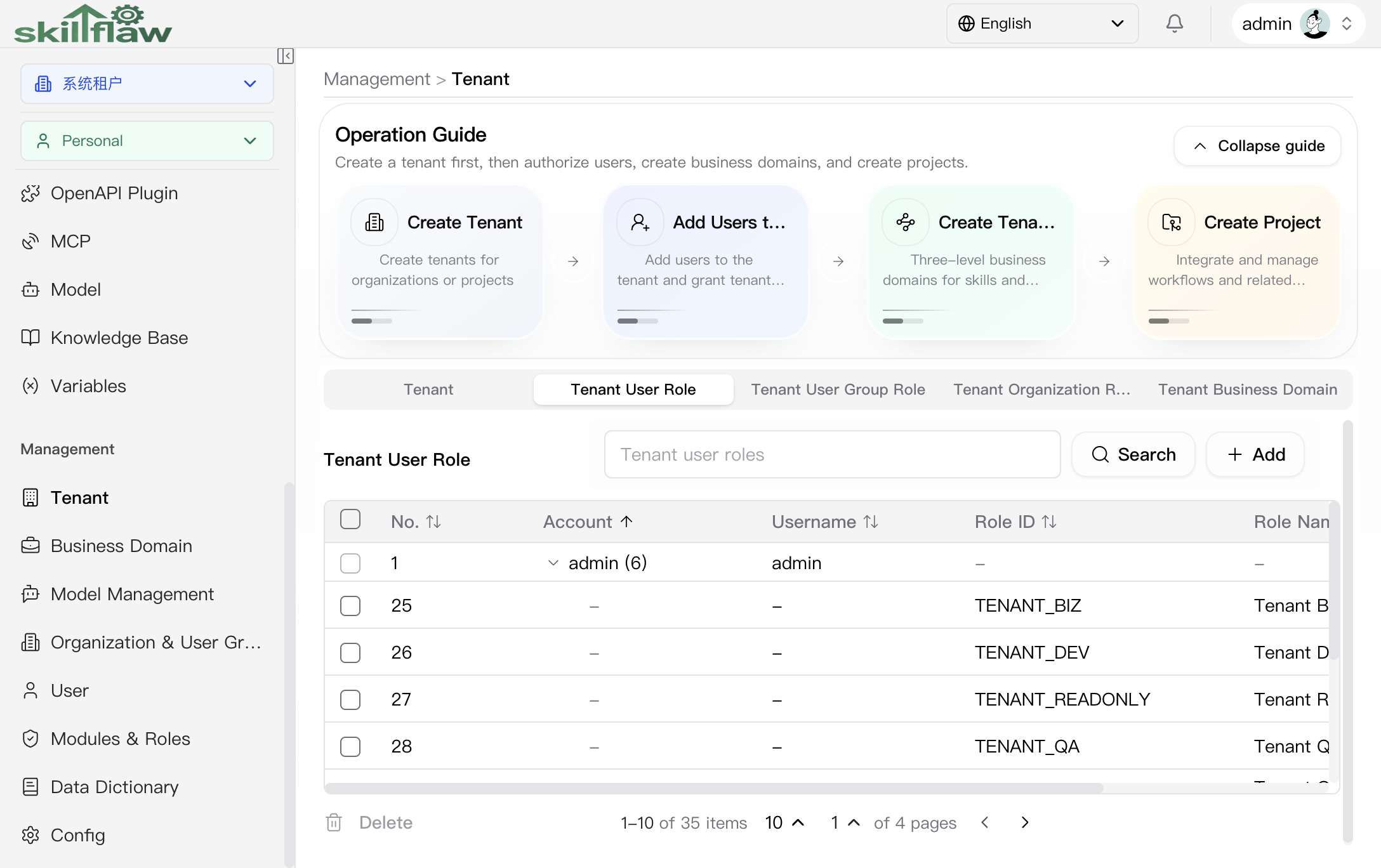
The screenshot above shows the Management > Tenant home page. The upper area provides the main tenant-governance path: create a tenant first, then authorize users, create business domains, and create projects.
The operation guide currently includes these entries:
- Create Tenant
- Add Users to Tenant
- Create Tenant Business Domain
- Create Project
The lower area organizes tenant governance by tabs. The visible sections currently include:
- Tenant User Role: maintains the relationship between tenant users and tenant roles.
- Tenant User Group Role: maintains authorization between user groups and tenant roles.
- Tenant Organization Role: maintains authorization between organizations and tenant roles.
- Tenant Business Domain: reviews or enters the business-domain governance area under the current tenant.
The list area provides search, add, sorting, and row-level action entries so tenant authorization can be maintained continuously.
Tenant User Group Role
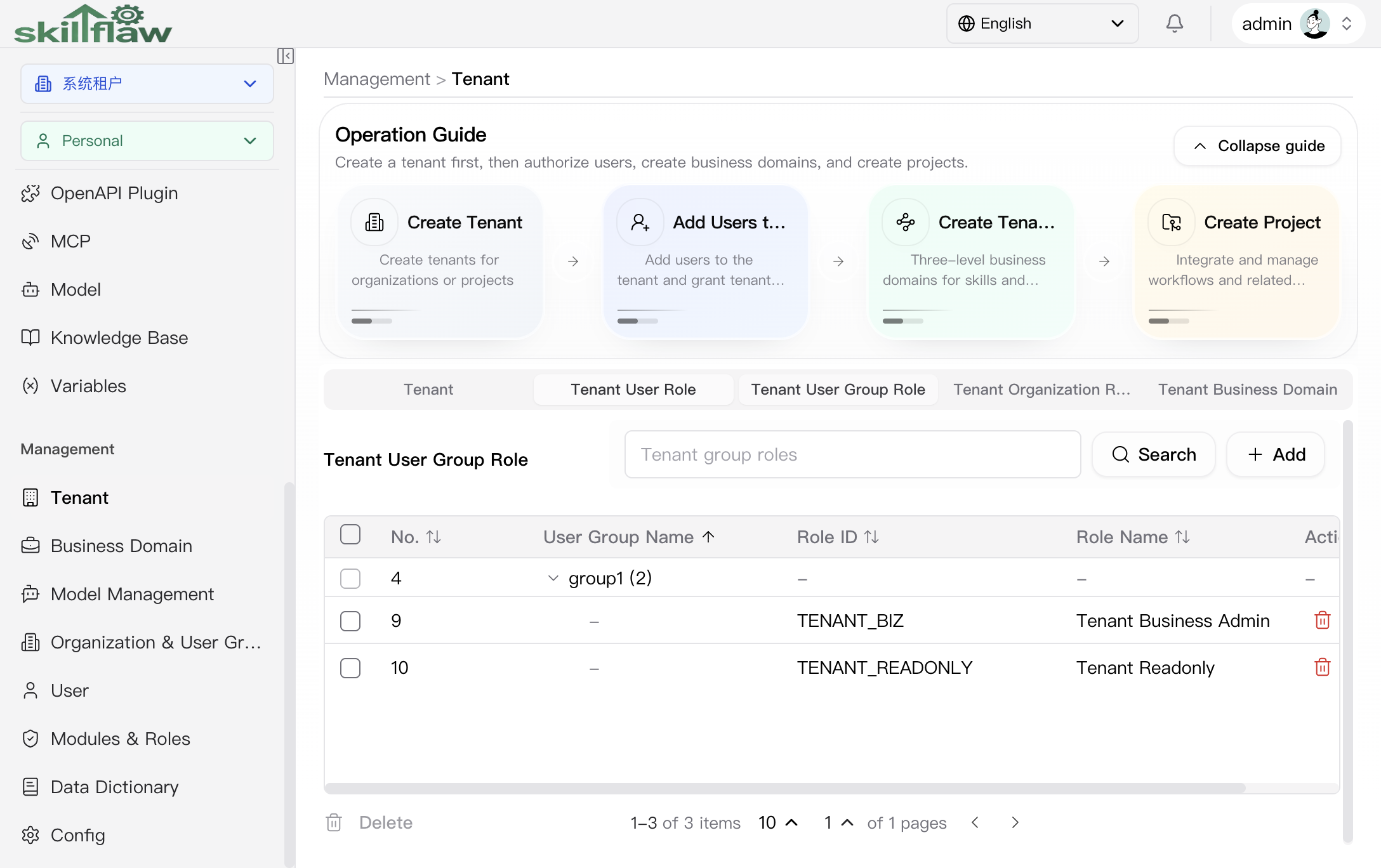
The Tenant User Group Role tab is used to maintain tenant-role authorization by user-group dimension. The page provides search and add entries. When no user-group role relationship has been configured for the current tenant, the page shows an empty state so authorization can be created from scratch.
Tenant Organization Role
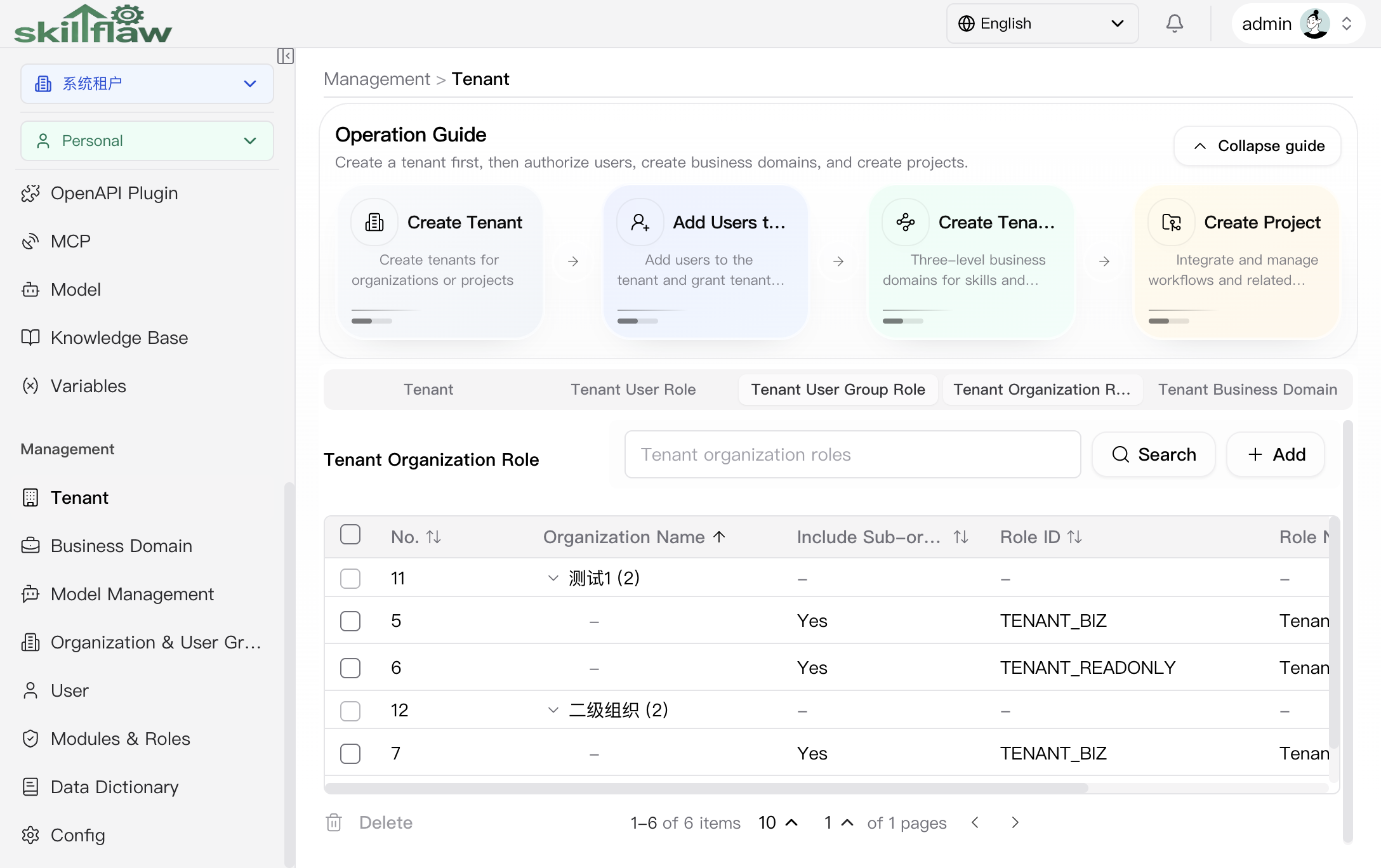
The Tenant Organization Role tab is used to maintain tenant-role authorization by organization dimension. The page also provides search and add entries, which is suitable when tenant-level permission governance needs to work together with the organization structure.
Tenant Business Domain
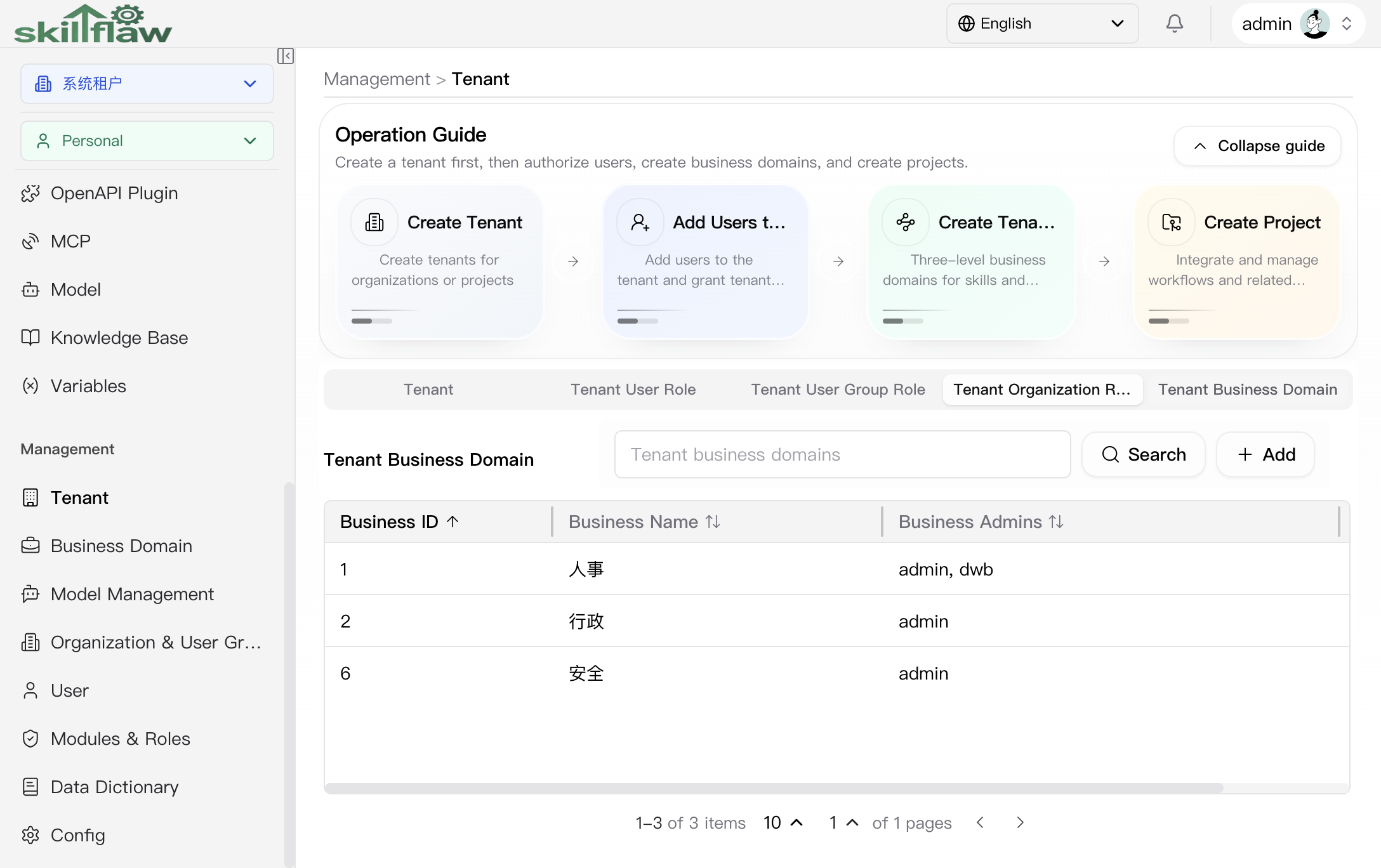
The Tenant Business Domain tab is used to review the level-1 business-domain data under the current tenant. You can continue into business-domain maintenance through the search or add entries. When no level-1 business domain exists under the current tenant, the page shows a clear empty-state message.
Add Tenant User Role dialog
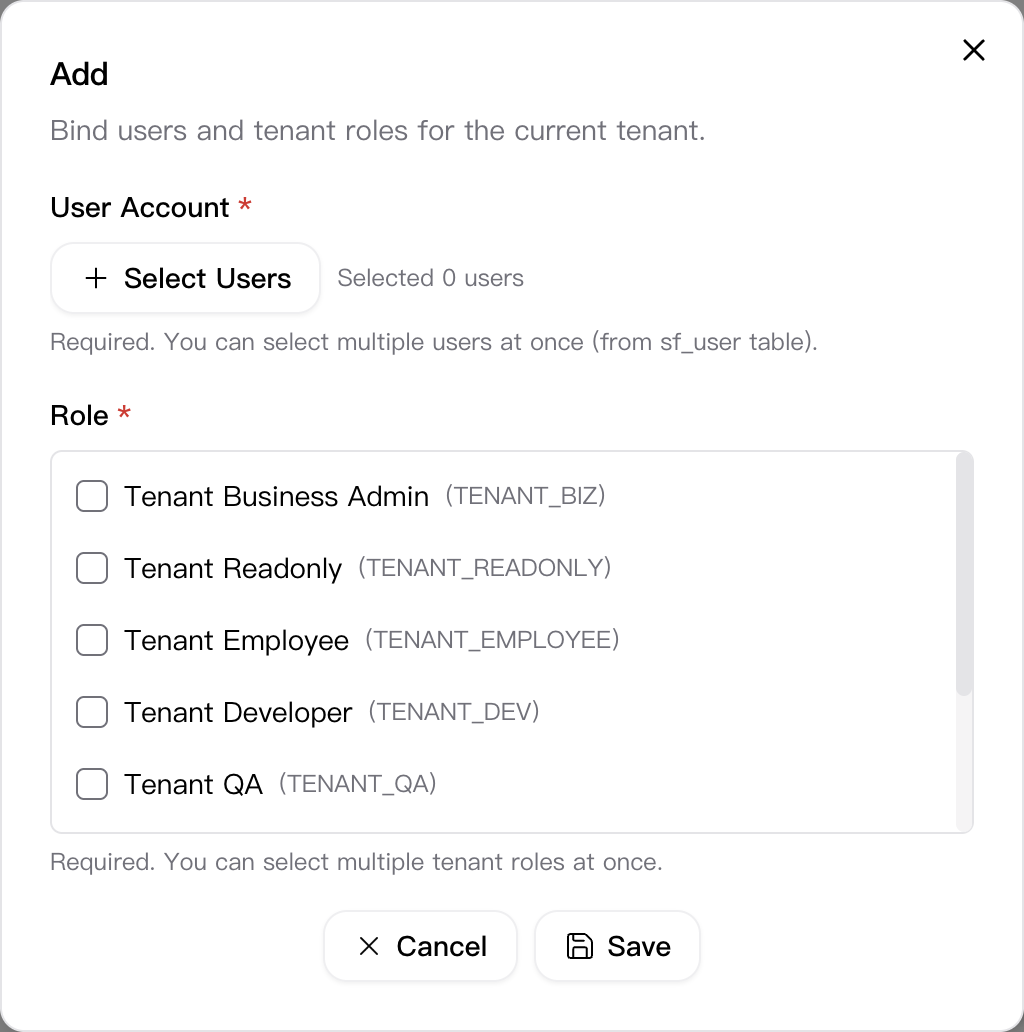
Click Add on the Tenant User Role tab to open the Add Tenant User Role dialog. This dialog is used to bind users to the current tenant in batches and grant the corresponding tenant roles in one step.
The dialog currently includes these key fields:
- User Account: required and supports selecting multiple users at once.
- Role: required and supports selecting multiple tenant roles at once.
The currently visible tenant-role options are:
- Tenant Business Admin (
TENANT_BIZ) - Tenant Readonly (
TENANT_READONLY) - Tenant Employee (
TENANT_EMPLOYEE) - Tenant Developer (
TENANT_DEV) - Tenant QA (
TENANT_QA) - Tenant Admin (
TENANT_ADMIN) - Tenant Organization Admin (
TENANT_ORG) - Tenant Operations (
TENANT_OPS)
The footer provides Cancel and Save actions, which is suitable for centralized authorization during tenant initialization or permission adjustments.
Recommendations
Before performing tenant-level actions, confirm the current management permission and the target tenant scope, and then coordinate with the related configuration pages when needed.