OpenAPI plugin manual
The OpenAPI Plugin module is used to manage external API integrations and expose them through plugins and plugin tools with a unified entry point.
Entry
Choose Resources > OpenAPI Plugin from the left navigation.
Page overview
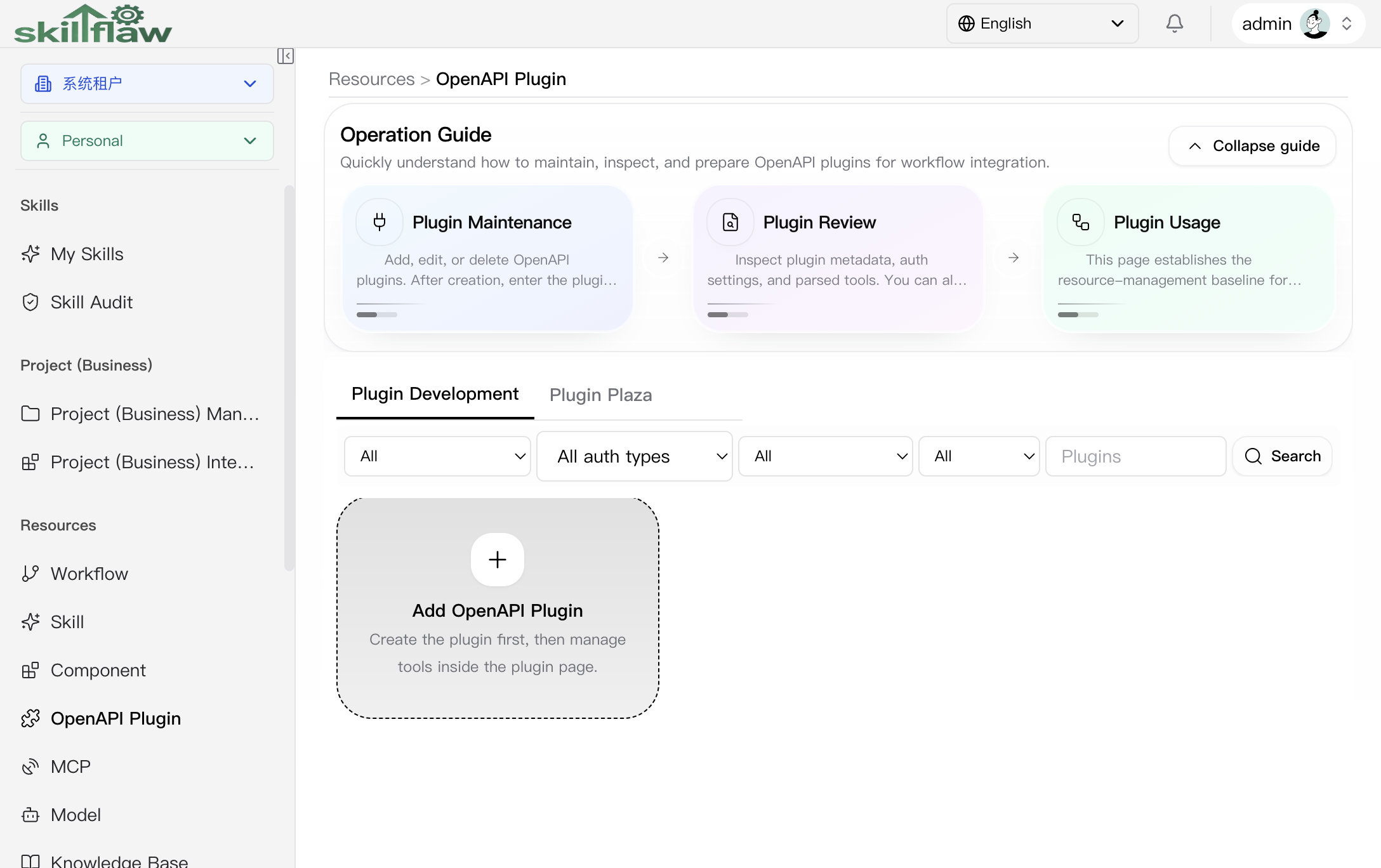
The OpenAPI Plugin home page is used to manage plugin resources in one place. The top area contains an operation guide so users can quickly understand plugin maintenance, plugin viewing, and later workflow integration. Below the guide, the page provides two main tabs: Plugin Development and Plugin Plaza.
On the Plugin Development tab, the filter area supports plugin queries by:
- Scope: switches the resource scope used by the current query.
- Auth type: filters plugins by authentication mode.
- Access type: distinguishes cross-tenant, within-tenant, and private plugins.
- Status: distinguishes normal and deleted records.
- Keyword: searches plugins by name.
Below the filters, the page provides an Add OpenAPI Plugin entry. After a plugin is created, you can continue into that plugin to maintain tool definitions and run validation tests.
Plugin Plaza
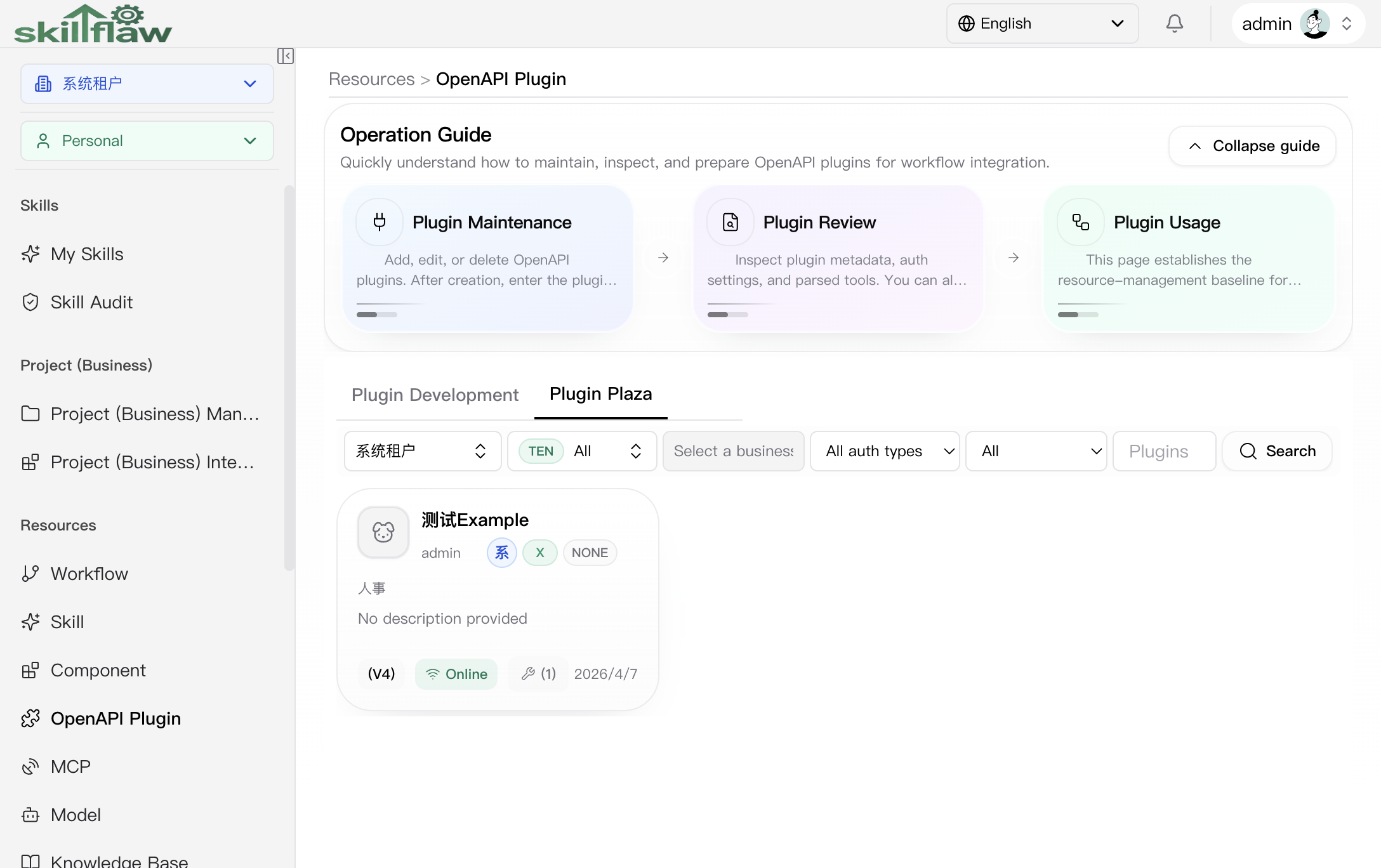
The Plugin Plaza tab is used to browse plugins that are visible in the current authorization range. This tab is suitable for locating existing plugins across scopes and then opening their details for review.
The top filter area currently supports:
- Tenant: switches the tenant that owns the plugin.
- Scope: switches between all, tenant, personal, or business scope.
- Business domain: narrows the target business node when the scope is business.
- Auth type and Access type: reduces the candidate set.
- Keyword search: quickly locates a plugin by name.
Add OpenAPI Plugin dialog
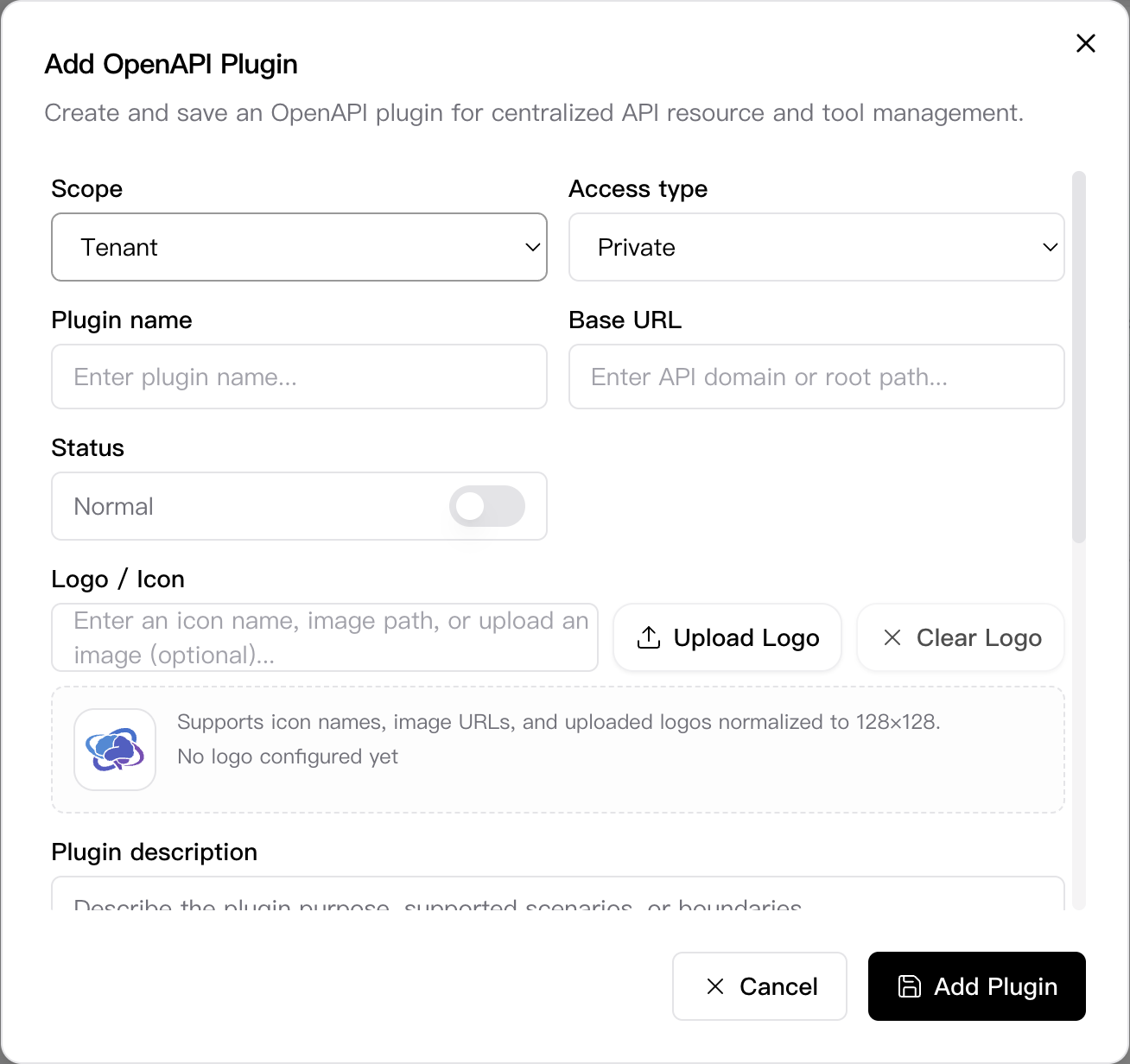
Click Add OpenAPI Plugin on the Plugin Development tab to open the creation dialog. This dialog is used to complete the plugin's base information, authentication mode, and default request headers in one place.
The dialog currently includes these key fields:
- Scope: supports tenant, business, and personal scope.
- Access type: supports cross-tenant, within-tenant, and private visibility.
- Plugin name: identifies the plugin resource.
- Base URL: stores the target API domain or root path.
- Status: controls whether the plugin remains in a normal state.
- Logo / Icon: supports icon names, image URLs, or direct image upload.
- Plugin description: adds usage, scenario, and boundary notes.
- Header List: preconfigures default request headers.
- Auth type: supports no auth, API key, OAuth standard, or OIDC-based modes.
- Notes: adds parameter constraints, error semantics, or maintenance notes.
The dialog footer provides Cancel and Add Plugin actions. After the plugin is saved, you can return to the list and continue maintenance.
Feature overview
The OpenAPI Plugin page is commonly used to:
- browse and filter plugin resources
- review tool definitions under a plugin
- maintain plugin and plugin-tool configuration
- run testing and management actions provided by the page
Recommendations
Before configuring a plugin, confirm the target endpoint, authentication mode, request parameters, and intended visibility scope.