Model manual
The Model module is used to browse and use model resources connected to the platform, providing a model-selection entry for workflows, skills, and agent scenarios.
Entry
Choose Resources > Model from the left navigation.
Page overview
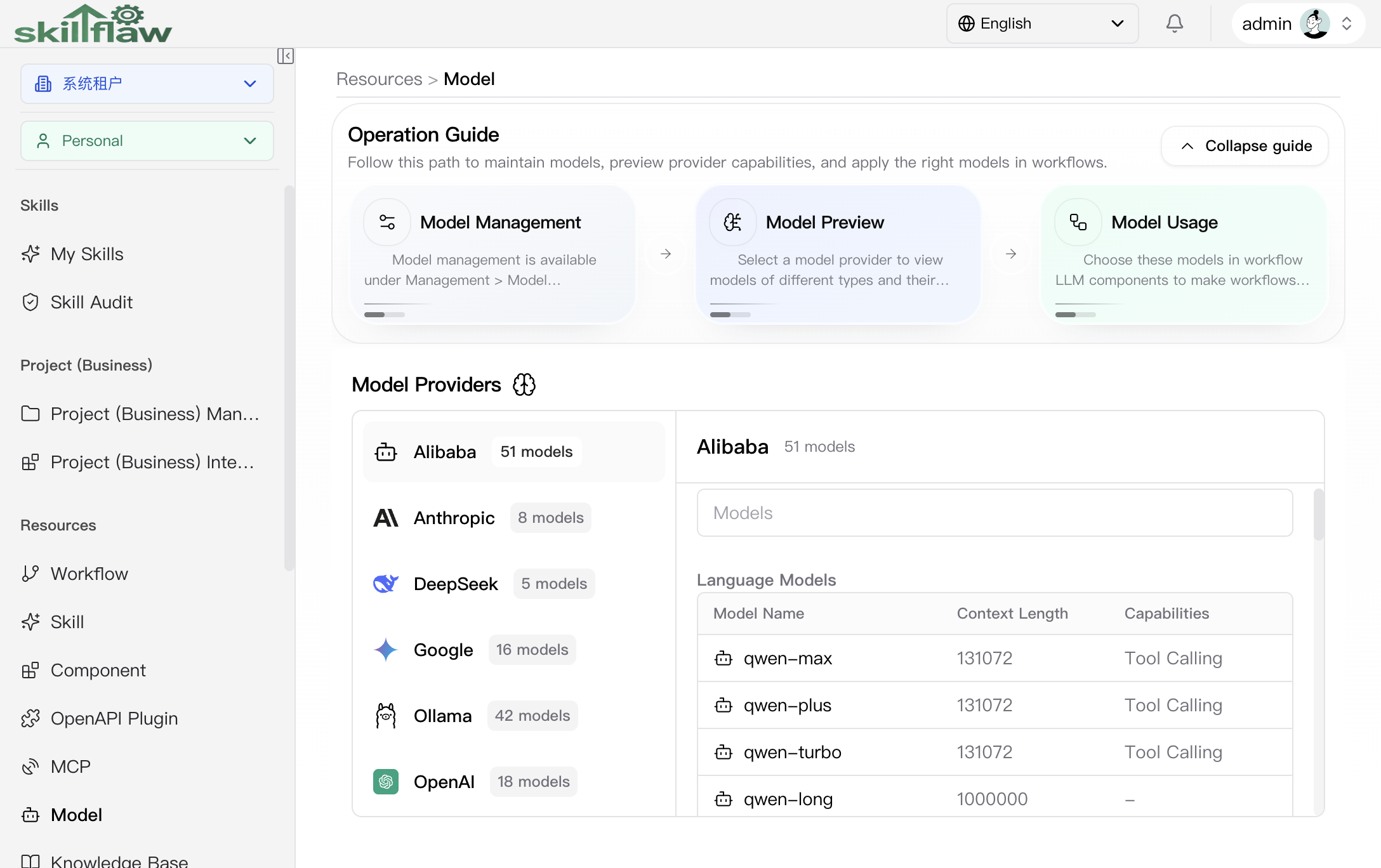
The Model page is used to browse the model resources connected to the platform. The top area contains an operation guide that explains the model-management entry, preview flow, and workflow usage relationship. Below that guide, the page provides a model-provider list and a model preview area.
Model provider list
The left side of the page shows connected model providers and the number of models under each one, such as Alibaba, Anthropic, DeepSeek, Google, Ollama, and OpenAI. When you click a provider, the right side switches to that provider's preview results.
Model preview
The preview area groups models by model category, commonly including:
- Language Models
- Embedding Models
The list shows the model name, context length, and feature tags. Feature tags reflect the model capabilities, for example:
- Reasoning
- Tool calling
- Vision
- Search
This page is suitable for confirming which models exist under a provider and whether the model capabilities match your scenario before using them in workflows.
Feature overview
The Model page is commonly used to:
- browse model resource lists
- query and filter model options
- review model base information and capabilities
- select a suitable model resource for a business scenario
Recommendations
Before using a model, choose an appropriate option based on your business target, feature requirements, and access scope.