Variables manual
The Variables module is used to centrally manage reusable variables and provide a unified parameter reference entry for workflows, skills, and other resources.
Entry
Choose Resources > Variables from the left navigation.
Page overview
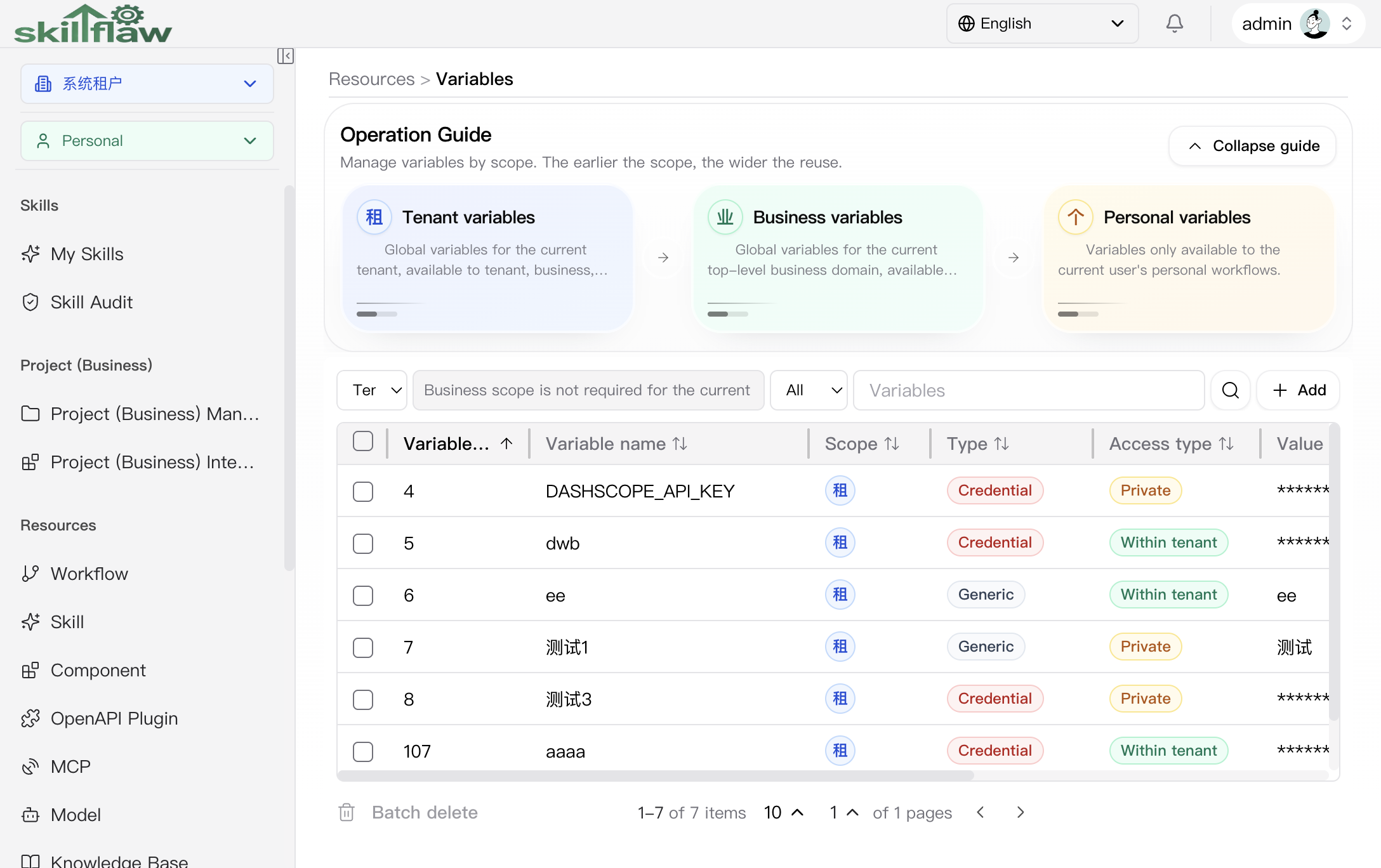
The Variables page is used to manage variable resources in one place. The top area contains an operation guide that explains variable maintenance, scope behavior, and workflow references. Below the guide, the page provides a filter area and a variable list.
The page supports these common filters:
- Scope: switches between all, tenant, business, and personal variables.
- Access type: distinguishes visibility such as within-tenant and private.
- Business domain: selects a specific business node when the business scope is active.
- Keyword: searches variables by name.
The list area is used to review variables and supports editing, access-type switching, deletion, and batch deletion. When no variable is available in the selected scope, or when the filter returns no match, the page shows an empty state. You can still create a variable from the add entry.
Add variable dialog
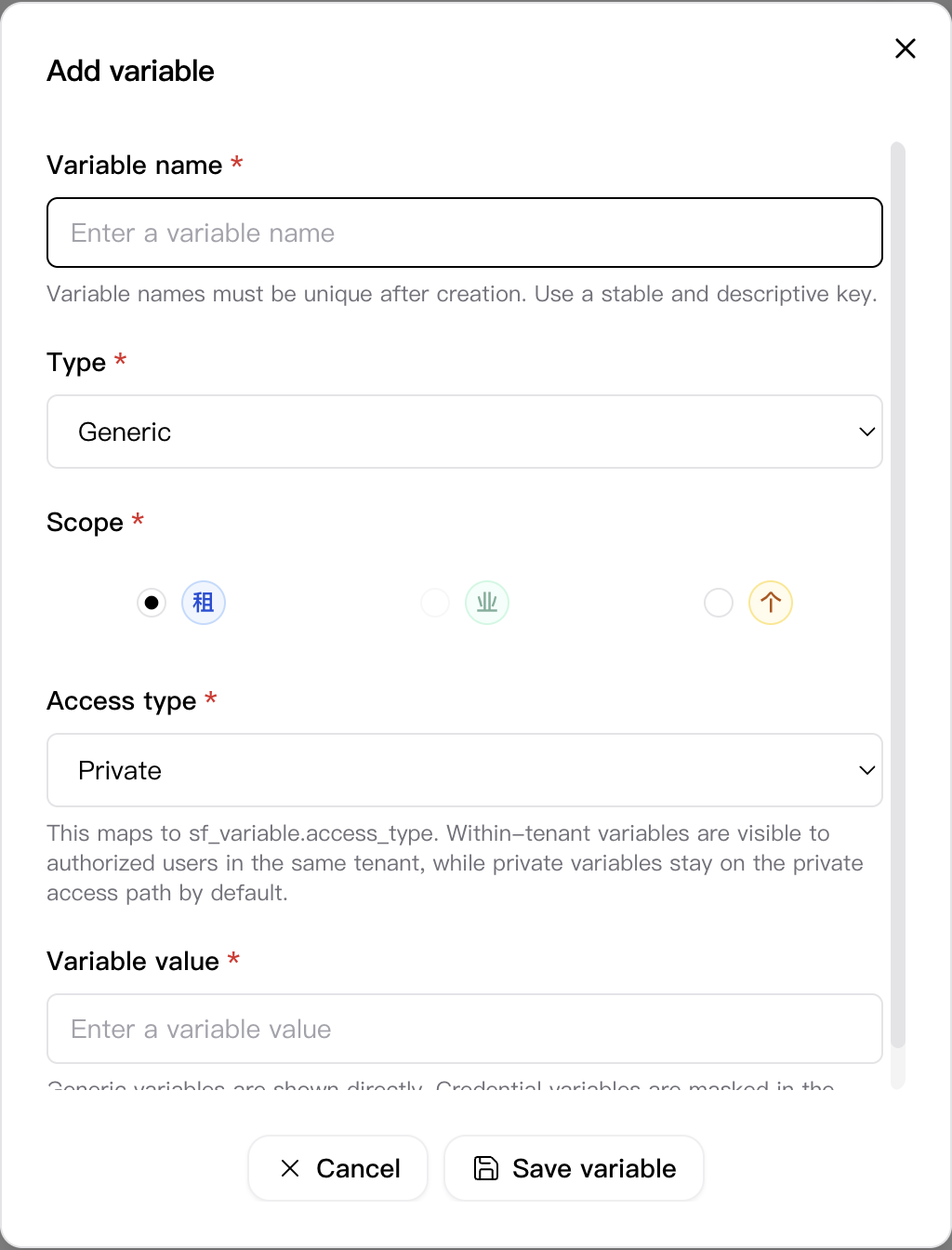
Click Add on the Variables page to open the variable creation dialog. This dialog is used to fill in base variable information and the visibility scope.
The dialog includes these key fields:
- Variable name: uniquely identifies the variable and must remain unique after creation.
- Type: supports generic and credential variables.
- Scope: supports tenant, business, and personal scope.
- Access type: controls how the variable is visible inside the selected scope.
- Variable value: stores the actual variable content. Credential variables are masked in the list.
The footer provides Cancel and Save variable actions. After the variable is saved, you can return to the list and continue management.
Feature overview
The Variables page is commonly used to:
- browse variable lists
- query and filter variables
- review variable base information
- perform management actions provided by the page
Recommendations
Before maintaining variables, confirm the variable purpose, naming rules, and target scope so they remain consistent across resources.